

In Pakistan, sending money, paying bills, buying mobile balance, and managing everyday payments has become much easier with digital wallets. EasyPaisa App is one of the popular mobile payment solutions that lets users handle many routine financial tasks directly from an Android or iPhone.
Instead of visiting a shop or bank for every small transaction, users can use the EasyPaisa app to transfer money, pay utility bills, recharge mobile accounts, and access other digital financial services. Its simple interface also makes it convenient for people who are new to mobile wallets.
In this guide, we will explain the EasyPaisa App, its main features, how it works, account registration, security tips, and things users should know before using the app.
What Is the EasyPaisa App?
EasyPaisa is a digital financial services platform in Pakistan that provides mobile wallet and payment services. The app allows users to manage money and make digital transactions from their smartphones.
With an EasyPaisa account, users can perform different everyday tasks without carrying cash. Depending on the services available to their account, they may be able to send and receive money, pay bills, purchase mobile packages, and use QR-based payments.
The service is particularly useful for Pakistani users who want a convenient way to manage routine payments through their mobile phones.
EasyPaisa App Features:
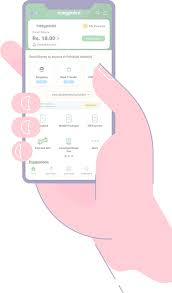
The EasyPaisa App offers several useful features for everyday transactions.
Money Transfers:
Users can send money digitally to other people using supported transfer options. This can be useful when sending money to family members, friends, or other recipients.
Mobile Recharge:
The app can be used for mobile balance and selected mobile packages, making it easier to recharge without visiting a retailer.
Bill Payments:
Users can pay supported utility and other bills through the application. This saves time and reduces the need to stand in queues.
QR Payments
Supported merchants may accept QR payments, allowing customers to make digital payments using their smartphones.
Digital Wallet:
The EasyPaisa wallet provides a convenient place to manage available funds and perform supported financial transactions.
Transaction History:
Users can review their previous transactions through the application, helping them keep track of their digital payments.
How to Download the EasyPaisa App?
For safety, download the application from an official app store or EasyPaisa’s official website rather than an unknown APK website.
Before installing, check the developer name, application details, permissions, and reviews. Avoid modified or unofficial versions because they may put your account and personal information at risk.
How to Register for an EasyPaisa Account:
Creating an account generally involves providing the required personal information and completing the verification process.
A typical setup process is:
- Install the official EasyPaisa application.
- Open the app on your smartphone.
- Enter the required mobile number.
- Follow the verification instructions.
- Provide the requested information.
- Create the required security credentials.
- Complete account setup.
The exact registration process can change as the service updates its application and security requirements.
How to Send Money With EasyPaisa:
Sending money through a digital wallet is convenient, but users should always double-check recipient information before confirming a transaction.
Generally, users can:
- Open the EasyPaisa App.
- Select the relevant money-transfer option.
- Enter the recipient’s required information.
- Enter the amount.
- Carefully check the transaction details.
- Confirm the payment using the required security method.
Once a transaction is confirmed, resolving an incorrect transfer may not always be straightforward, so checking the details beforehand is important.
EasyPaisa for Bill Payments:
One useful feature of the app is digital bill payment. Instead of physically visiting a payment center, users can use supported bill-payment options within the application.
Depending on availability, users may find options for different utility and service providers. Always verify the bill details and amount before confirming payment.
EasyPaisa Security Tips:
Mobile wallets involve financial and personal information, so security should be a priority.
Keep these tips in mind:
- Never share your PIN, password, or verification code with anyone.
- Do not enter account information on suspicious websites.
- Avoid installing modified EasyPaisa APK files.
- Keep your phone’s operating system updated.
- Use a secure screen lock on your smartphone.
- Check transaction details before confirming payments.
- Contact official customer support if you notice suspicious activity.
- Do not trust messages promising guaranteed cash rewards or unusual account benefits.
Is EasyPaisa App Easy to Use?
One of the main advantages of a mobile wallet is convenience. The EasyPaisa application brings several common payment services together in one place, which can be helpful for users who regularly send money, recharge mobile accounts, or pay bills.
The experience can vary depending on the user’s phone, internet connection, account status, and the availability of particular services.
EasyPaisa App for Android Users:
Android users should install the official application through a trusted source. Before downloading, make sure the phone has enough storage space and that the operating system meets the application’s current requirements.
Users with older or budget smartphones should also keep unnecessary applications closed and maintain sufficient free storage for smoother performance.
Advantages of EasyPaisa:
Some practical advantages include:
- Convenient digital payments
- Money-transfer facilities
- Mobile recharge options
- Supported bill-payment services
- QR payment functionality
- Transaction records
- Reduced dependence on cash for everyday payments
Things to Keep in Mind:
Although digital wallets are convenient, they are not completely risk-free. Users should carefully check every transaction and protect their account credentials.
Fees, transaction limits, supported services, and eligibility requirements can change over time. Therefore, users should check the latest information inside the official app or through official EasyPaisa channels before making important transactions.
EasyPaisa App vs. Traditional Payments:
Traditional payments often require visiting a shop, bank, or payment center. A digital wallet can make many of these tasks available from a smartphone.
However, cash and traditional banking services can still be useful in places where internet access, merchant acceptance, or digital payment availability is limited.
Conclusion:
The EasyPaisa App offers Pakistani users a convenient way to handle many everyday digital payment tasks from their smartphones. From money transfers and mobile recharge to bill payments and QR transactions, it can reduce the need for cash in many situations.
For the best experience, always use the official application, protect your account credentials, verify transaction details, and check the latest terms, fees, and service availability before completing important transactions.
Frequently Asked Questions:
What is EasyPaisa App?
EasyPaisa App is a digital financial services application in Pakistan that supports services such as money transfers, mobile recharge, bill payments, and other supported digital transactions.
Can I use EasyPaisa on Android?
Yes, EasyPaisa provides an Android application. Users should download it from an official and trusted source.
Is EasyPaisa safe?
Users can improve account security by using the official application, protecting their PIN and verification codes, and avoiding suspicious links or unofficial APK files.
Can I pay bills through EasyPaisa?
Yes, the application supports bill-payment services for supported providers.
Can I send money through EasyPaisa?
Yes, money-transfer services are among the key functions of the platform, subject to applicable requirements, limits, and fees.